
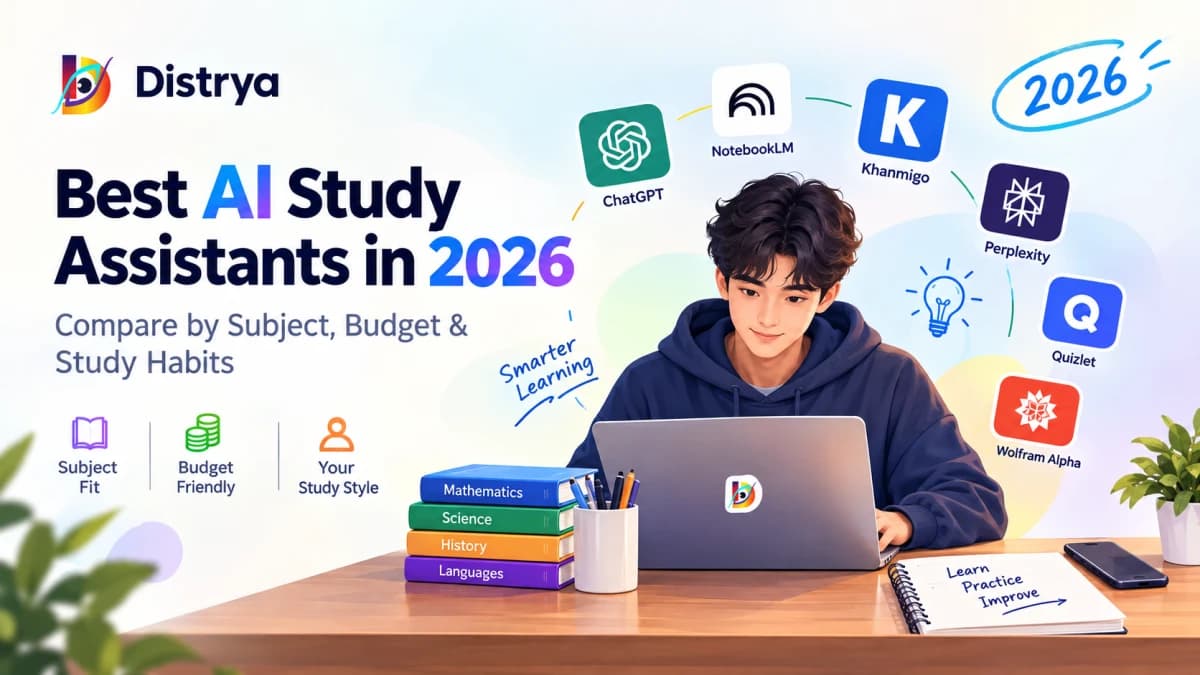
Key Takeaways
A useful study tool prompts active recall and diagnoses misunderstandings, rather than simply generating answers that create an illusion of mastery.
No single platform covers every discipline. Symbolic calculation engines handle quantitative problem sets where language models routinely make errors, while document-grounded tools work best for text-heavy revision.
Google NotebookLM is particularly useful for exam revision when you want answers grounded in your own lecture notes, slides, and assigned reading materials.
An effective study workflow does not require expensive monthly subscriptions. Pairing two or three complementary free tiers handles concept breakdowns, source-grounded revision, and homework coaching.
For multilingual students, tools such as Gemini and NotebookLM can assist when moving between English-language course materials and other languages, though translation fidelity varies by discipline and technical depth.
Introduction: Too Many Tools, Not Enough Direction
Searching for study software in 2026 usually yields lists that recommend the same broad-purpose chatbots without explaining why one platform suits organic chemistry better than European history, how quickly free tiers hit usage caps, or how a tool aligns with specific study routines.
This guide examines how these platforms function as study partners—testing active recall, working through problem sets, and anchoring answers to course materials. Rather than treating AI software as an automated homework machine, we look at where each tool supports genuine retention, where it falls short, and what free plans actually deliver.
Scope note: This guide focuses on tools used for active studying—understanding concepts, generating practice questions, summarizing course texts, and receiving guided explanations. For an overview covering AI writing software, citation managers, and general student productivity apps, see our complete guide to the best AI tools for students in 2026.
At a Glance: Finding the Right Study Partner
If your primary need is... | Consider starting with... | Key trade-off to keep in mind |
Studying from your own PDFs and lecture notes | Google NotebookLM | Responses are grounded in selected sources; limited computational capabilities |
Conversational explanations and thesis testing | ChatGPT | Can hallucinate factual claims or make arithmetic errors |
Step-by-step tutoring in math and science | Khanmigo | Not universally free; geared primarily toward introductory coursework |
Academic research and citation discovery | Perplexity AI | Accelerates source discovery, but still requires reading primary papers |
Vocabulary drills and terminology recall | Quizlet | Some AI study features are free; advanced generation and practice features may require Plus |
Exact mathematical and symbolic calculation | Wolfram Alpha | Step-by-step problem derivations require a Student Pro subscription |
What Counts as an AI Study Assistant?
The phrase gets used loosely across educational technology. Some tools in this guide are dedicated study assistants; others are specialized engines (such as academic search tools or symbolic computational systems) that serve as valuable components of a broader study routine.
┌─────────────────────────────────────────────────────────────┐
│                 Active vs. Passive Revision                 │
├──────────────────────────────┬──────────────────────────────┤
│ Passive Completion (Chatbot) │ Active Retention (Assistant) │
├──────────────────────────────┼──────────────────────────────┤
│ Solves a calculus equation   │ Highlights the arithmetic slip│
│ Rewrites an essay thesis     │ Challenges weak premises     │
│ Summarizes broad web trivia  │ Cites your uploaded syllabus │
│ Delivers immediate answers   │ Prompts recall with hints    │
└──────────────────────────────┴──────────────────────────────┘
A general chatbot is optimized to deliver an answer and conclude the interaction. Asking it to explain cellular respiration produces a standard textbook summary. While helpful for a quick refresher, reading a screen passively creates an illusion of competence: you recognize the facts while reading them, but struggle to reproduce the steps on a blank exam sheet.
A study assistant prioritizes retention. It withholds complete answers to prompt your memory, generates multiple-choice and short-answer drills directly from your class notes, diagnoses where your mathematical derivation slipped, and adapts its explanations to your current level of understanding.
How We Compare These Tools
To provide a consistent comparison across products, this guide evaluates each platform across five practical study tasks:
Explaining complex concepts: How effectively does the tool break down dense theoretical ideas into plain language without introducing factual errors?
Generating active recall drills: Can the system create accurate practice questions, flashcards, and diagnostic quizzes directly from course materials?
Guiding problem sets: Does the tool assist with multi-step problem solving by offering hints, or does it simply hand over the final answer?
Source grounding: Can the platform restrict its knowledge base strictly to uploaded files (such as lecture slides and syllabus readings) to prevent hallucinations?
Multilingual study support: How reliably does the platform process technical terminology when translating between English and other languages?
We also compare publicly documented free-tier restrictions, access tiers, and student pricing. Software limits and features evolve regularly, so readers should verify current account terms directly with providers before subscribing.
Quick Comparison: Features, Tiers, and Subject Fits
Tool | Core Academic Strength | Free Access Realities | Paid Tiers (USD) | Best Academic Fit |
Google NotebookLM | Note-grounded exam prep | Generous notebook and upload quotas; evolving limits | Student pricing varies by eligibility and region | History, biology, law, literature |
ChatGPT | Concept breakdowns & debate | Free access subject to dynamic limits during peak hours | $8/mo (Go) or $20/mo (Plus) | Philosophy, essay outlines, coding |
Khanmigo | Socratic problem coaching | Free via participating schools; individual plans vary by region | ~$4/mo (US individual pricing) | Pre-calculus, algebra, introductory sciences |
Perplexity AI | Academic discovery with citations | Unlimited standard search; metered Pro queries | $20/mo (Pro) | Term papers, political science, sociology |
Quizlet | Spaced repetition flashcards | Basic card creation free; some free AI study tools | From $35.99/year (Plus) or $44.99/year (Plus Unlimited) | Anatomy, pharmacology, foreign languages |
Wolfram Alpha | Deterministic math computation | Numerical answers free; step-by-step locked | $7.99/mo (Student Pro) | Calculus, engineering, physical chemistry |
Detailed Tool Breakdowns
1. Google NotebookLM
A strong fit: Exam prep grounded in your own course documents
Google's NotebookLM operates on a source-grounded model: its responses draw directly from the files you upload. You can import PDFs of weekly readings, lecture slide decks, lab manuals, Google Docs, and YouTube lecture transcripts, turning the notebook into an index for that specific course.
When you ask it to clarify a concept or build a practice quiz, it references your uploaded documents directly, adding bracketed citations throughout the response. Clicking a citation opens the source document in a split pane, highlighted at the referenced passage. This makes it easy to confirm whether a summary accurately reflects your professor's specific lecture points.
┌─────────────────────────────────────────────────────────────┐
│                 NotebookLM Workspace Flow                   │
├─────────────────────────────────────────────────────────────┤
│ 1. Upload: Lecture slides (PDF) + Seminar readings (Docs)   │
│ 2. Grounding: Responses are grounded in selected sources    │
│ 3. Output: Practice quiz generated with page citations      │
│ 4. Audio Review: Two-host conversational audio generated    │
└─────────────────────────────────────────────────────────────┘
Its Audio Overview feature converts uploaded material into a conversational discussion between two simulated hosts. While the hosts adopt an informal, podcast-style tone that can feel casual for technical subjects, listening to them discuss key themes provides a helpful secondary review during a commute or walk.
Trade-offs to consider: NotebookLM isn't a substitute for a dedicated symbolic mathematics engine. It handles text synthesis well, but it can misinterpret complex formulas or poor-quality OCR scans. Google has also integrated NotebookLM features into its evolving Gemini Notebook ecosystem, where computing-based limits adjust dynamically based on prompt complexity and model tier.
Free access: Free access includes generous source allowances, though Google maintains access tiers and computing-based limits that adjust with platform updates.
Pricing: Eligible university students in supported regions can access the Google One AI Premium Student tier at a discount through SheerID verification via Google Help & NotebookLM Support.
Subject fit: Text-heavy disciplines, including history, political science, biology, and legal studies.
Multilingual support: Handles multilingual documents well. Students can upload source materials in Japanese, Spanish, German, or French and query them in English, or vice versa.
2. ChatGPT
A strong fit: Conversational explanations, essay brainstorming, and Socratic testing
ChatGPT functions effectively as an interactive study partner when prompted with specific constraints. Asking it for a generic topic summary usually produces broad text that resembles an encyclopedia entry. However, instructing it to challenge your arguments or explain a concept using progressive analogies creates an effective one-on-one tutoring session.
If a theoretical concept in economics or sociology remains unclear after reading the textbook, you can ask ChatGPT to explain the mechanism using concrete real-world scenarios, or ask it to reframe the idea from the perspective of an opposing school of thought.
Sample prompt for Socratic self-testing:
"I am reviewing the causes of the 1914 July Crisis. Act as an oral exam interrogator. Ask me one challenging question about Austrian diplomatic calculations, wait for my response, evaluate my accuracy, and then ask the next question. Do not reveal the answers until I have responded."
It also handles introductory programming assignments well, explaining compiler errors and logic bugs line by line without writing the entire assignment for you.
Trade-offs to consider: Like other general-purpose language models, ChatGPT can make errors in multi-step quantitative reasoning, so important calculations and historical citations should be independently checked. If you want rigorous feedback, explicitly instruct it to challenge assumptions and identify weaknesses in your reasoning rather than accepting its initial responses at face value.
Free access: Free access includes standard conversational features, though access to advanced reasoning models is subject to dynamic usage limits that vary with server demand.
Pricing: OpenAI offers ChatGPT Go at approximately $8/month in selected regions to provide higher message limits, while ChatGPT Plus costs $20/month. Check current regional options at the OpenAI Help Center & Plans.
Subject fit: Literature, philosophy, political science, creative writing, and introductory computer science.
Multilingual support: Broad linguistic coverage with natural conversational phrasing across major world languages.
3. Khanmigo (Khan Academy)
A strong fit: Guided problem-solving in mathematics and introductory sciences
Most educational AI tools focus on answering user prompts immediately. Khanmigo, developed by Khan Academy, is built around a different philosophy: it deliberately withholds the final answer. When you submit an algebra problem or a chemistry question, it responds with guided diagnostic questions to help you work through the logic step by step.
Student: "Solve 3x + 12 = 24 for x."
Khanmigo: "To get the term with x by itself, what operation undoes adding 12?"
Student: "Subtract 12 from both sides?"
Khanmigo: "Exactly. What does the equation look like once you do that?"
This back-and-forth approach takes longer than copying an answer from a solver, but it builds genuine procedural understanding. The platform includes modules for SAT and ACT prep, reading comprehension exercises, and introductory programming support.
Trade-offs to consider: Khanmigo is not universally free. School districts often deploy it through institutional partnerships, while individual learner access varies by region; in the U.S., Khan Academy has offered individual learner access at around $4/month. Furthermore, its curriculum focus is primarily K-12 and introductory college courses; it offers limited utility for advanced university subjects like partial differential equations or physical chemistry.
Free access: Available free to students whose schools or districts have institutional partnerships with Khan Academy.
Pricing: Individual pricing and availability vary by region; in the U.S., Khan Academy has offered individual learner access at around $4/month. Review current access criteria at Khan Academy Official Support.
Subject fit: Middle school through introductory college mathematics, general biology, AP chemistry, microeconomics, and standardized test prep.
Multilingual support: Limited. The interface and tutoring routines are designed primarily for English-medium curricula.
4. Perplexity AI
A strong fit: Academic research discovery and source exploration
Conducting early-stage research through standard search engines often leaves students sorting through search engine optimization (SEO) content and commercial landing pages. Perplexity functions as an academic discovery engine: you enter a research topic, and it returns a synthesized overview paired with numbered, clickable citations linking to online sources.
Its Academic search mode is designed to prioritize academic and scholarly sources, such as arXiv and PubMed. For term papers and literature reviews, this speeds up the process of identifying key papers, understanding the primary disputes in a field, and finding potentially relevant papers and DOI information that you can verify against the original publication.
Trade-offs to consider: Perplexity can speed up literature discovery, but it is a discovery tool rather than a substitute for reading original papers. It frequently generates summaries based on paper abstracts, which may obscure small sample sizes, statistical caveats, or methodological limitations found in the full text.
Free access: Unlimited standard search queries with citations, alongside a small daily allocation of Pro searches.
Pricing: Perplexity Pro costs $20/month, providing access to multi-step research routines and larger analytical models. Review verification programs and details at the Perplexity Help Center & Documentation.
Subject fit: Term papers, modern history, sociology, international relations, and environmental studies.
Multilingual support: Indexes and summarizes foreign-language academic publications effectively.
5. Quizlet
A strong fit: Active recall, terminology drills, and foreign language vocabulary
Memorizing catalogs of discrete definitions—such as anatomical structures, legal precedents, or foreign vocabulary—requires systematic testing. Quizlet integrates generative tools into its traditional digital flashcard system. Instead of manually typing terms and definitions, you can paste in lecture notes or upload a PDF chapter summary to generate structured study sets in seconds.
Its adaptive testing system tracks your answers across practice sessions, identifying the terms you miss or hesitate on. It then resurfaces those specific cards during future reviews to reinforce retention.
Trade-offs to consider: Quizlet offers some AI-powered study features for free, while more advanced capabilities and higher usage limits are included with Quizlet Plus. Exact availability can vary by feature and plan. If you prefer a completely free option and are comfortable building decks manually, open-source tools like Anki provide powerful spaced-repetition algorithms without a subscription.
Free access: Manual flashcard creation and standard review modes remain free, alongside introductory AI study features.
Pricing: Quizlet Plus starts at $35.99/year (roughly $3.00/month billed annually), with Plus Unlimited at $44.99/year. Details are available at the Quizlet Help Center.
Subject fit: Foreign languages, medical and nursing terminology, anatomy, and foundational legal terminology.
Multilingual support: Extensive. Includes native text-to-speech pronunciation models across dozens of languages.
6. Wolfram Alpha
A strong fit: Exact calculations, step-by-step calculus, and physical sciences
General-purpose language models are not dedicated symbolic mathematics engines, so they can make errors in multi-step calculations. When using a standard conversational chatbot for matrix operations, differential equations, or structural mechanics, arithmetic slips are common.
Wolfram Alpha operates as a dedicated symbolic and numerical computation engine. When you input an equation, it applies exact mathematical algorithms to evaluate it. Its natural-language interface translates conversational prompts into formal mathematical syntax, runs the calculation, plots the curves, and presents the analytical solution.
┌─────────────────────────────────────────────────────────────┐
│                 Wolfram Alpha Computation                   │
├─────────────────────────────────────────────────────────────┤
│ User Input:  "integrate x^2 * sin(x) dx"                    │
│ Translation: Formal mathematical expression recognized      │
│ Computation: Symbolic calculus engine evaluates derivatives │
│ Output:      Exact antiderivative + plots + step-by-step    │
└─────────────────────────────────────────────────────────────┘
For students taking engineering physics, calculus, or linear algebra, it is a useful dedicated tool for checking symbolic and numerical mathematics, verifying homework solutions, and pinpointing where a manual derivation went off track.
Trade-offs to consider: The free web interface only displays the final numerical or symbolic answer. The step-by-step breakdown—the primary feature students need to understand problem-solving methodologies—requires a paid subscription.
Free access: Standard computations, curve plotting, and final numerical solutions are free.
Pricing: Student Pro costs $7.99/month (or $5.00/month billed annually). For mathematics and engineering majors, this subscription provides substantial practical utility. Details are at Wolfram Alpha Pro for Students.
Subject fit: Pure mathematics, physics, mechanical and electrical engineering, and physical chemistry.
Multilingual support: Limited. It operates best with standard English mathematical phrasing, though formal mathematical notation is universal.
Free vs. Paid: Navigating Student Budgets
Software marketing often encourages students to upgrade to expensive monthly plans. In practice, many paid features can be bypassed by combining complementary free tools.
┌─────────────────────────────────────────────────────────────┐
│                 The Student Budget Reality                  │
├─────────────────────────────────────────────────────────────┤
│ Skip the Paid Upgrade If:                                   │
│ • Your coursework focuses on reading, essays, and history   │
│ • Your study needs fit within standard rate limits          │
│ • Free tiers of tools such as NotebookLM and Perplexity     │
│   cover your source-related needs                           │
├─────────────────────────────────────────────────────────────┤
│ When a Paid Plan May Make Sense:                            │
│ • You need step-by-step calculus working (Wolfram Pro: $8)  │
│ • You drill hundreds of terms weekly (Quizlet Plus: $3)     │
│ • You qualify for institutional deals (Google One AI: $10)  │
└─────────────────────────────────────────────────────────────┘
Free Tier Limitations in Practice
Tool | Stated Free Tier Boundary | Practical for typical study use? |
Google NotebookLM | High source and notebook allowances; evolving quotas | Yes. Covers standard semester coursework without paywalls. |
Khanmigo | Free access tied to participating school programs | Varies. Individual access requires a paid plan or school enrollment. |
Perplexity AI | Unlimited standard searches; metered Pro queries | Yes. Adequate for typical term-paper research and citation trails. |
ChatGPT | Access to standard models; dynamic caps during peak hours | Conditionally. Suitable for quick questions, but subject to peak-hour limits. |
Quizlet | Basic manual flashcards; advanced AI features metered | Conditionally. Generative card creation and adaptive tests require Quizlet Plus. |
Wolfram Alpha | Final computational answers only | Conditionally. Good for checking answers, but withholds intermediate steps. |
Note: The "Practical for typical study use" assessment reflects whether stated limits are likely to interfere with common undergraduate workloads. Limits vary by plan, region, and server conditions.
When a Paid Plan May Make Sense
Consider upgrading only if you encounter a specific operational roadblock:
You require step-by-step mathematical working: If you are taking differential equations or classical mechanics, relying on free general chatbots introduces calculation errors. A Student Pro subscription to Wolfram Alpha ($7.99/month) can make it easier to inspect intermediate derivation steps.
Your degree requires high-volume vocabulary memorization: For medical, dental, or nursing students memorizing thousands of pharmaceutical contraindications or anatomical structures, Quizlet Plus ($3.00/month equivalent) can save time on manual formatting through automated card generation.
You qualify for verified student bundles: Eligible college students can access Google One AI Premium for $9.99/month via SheerID, which provides Gemini Advanced, expanded NotebookLM processing, and 2TB of cloud storage.
A Mostly-Free Academic Study Stack
Rather than paying for an all-in-one software package, you can cover the main stages of study by linking together specialized free tiers:
┌─────────────────────────────────────────────────────────────┐
│              The Low-Cost Academic Study Stack              │
├───────────────────┬─────────────────────────────────────────┤
│ Coursework & Prep:│ Google NotebookLM (Upload course notes) │
│ Source Discovery: │ Perplexity AI (Free academic searches)  │
│ Concept Checking: │ ChatGPT Free (Socratic testing prompts) │
│ Guided Practice:  │ Khan Academy (Free problem sets)        │
└───────────────────┴─────────────────────────────────────────┘
Course material review: Upload your syllabus, lecture slides, and assigned readings to Google NotebookLM to create a private, citation-backed study hub.
Research discovery: Use Perplexity AI (Academic filter) to locate peer-reviewed papers and primary source DOIs.
Conversational concept testing: Use ChatGPT's free tier with Socratic prompts to debate thesis ideas or generate analogies for confusing concepts.
Foundational math and science practice: Use Khan Academy's free library to practice foundational problem sets and watch concept explanations.
For an evaluation of zero-cost tools across other workflows, see our roundup of the 7 best free AI tools in 2026.
Which AI Study Assistant Fits Your Study Habits?
Students process information differently. Selecting software that complements how you naturally review material prevents friction during exam preparation.
       Matching Tools to Study Habits
┌───────────────────────────┬────────────────────────────────┐
│ Visual & Problem Solvers  │ Text & Outline-Dominant        │
│ ► Wolfram Alpha Plots     │ ► NotebookLM Source Notebooks  │
│ ► Khan Academy Graphs     │ ► ChatGPT Socratic Outlines    │
├───────────────────────────┼────────────────────────────────┤
│ Auditory & Conversational │ Repetitive Drill-Based         │
│ ► NotebookLM Audio Casts  │ ► Quizlet Spaced Repetition    │
│ ► ChatGPT Voice Dialogue  │ ► Anki Open-Source Flashcards  │
└───────────────────────────┴────────────────────────────────┘
If you prefer reading and writing
A strong fit: Google NotebookLM
If you retain information best by outlining chapters, annotating texts, and working through written summaries, NotebookLM fits naturally into your routine. It keeps revision anchored to written source files and provides direct page citations, allowing you to double-check claims in the original literature.
If you learn well by listening
A strong fit: NotebookLM Audio Overviews
Auditory learners often struggle to maintain focus while reading long PDF packets. NotebookLM's Audio Overview feature converts uploaded reading materials into a structured, back-and-forth discussion between two hosts, making it easy to review core themes during a commute or workout before sitting down for detailed study.
If you study through repeated practice and testing
A strong fit: Quizlet (or Anki)
If your courses require committing large numbers of discrete definitions, formulas, or anatomical terms to memory, flashcard testing remains an efficient technique. Quizlet's automated card creation speeds up setup, while open-source alternatives like Anki offer robust spaced repetition at zero cost.
If you work through concepts through dialogue
A strong fit: ChatGPT or Khanmigo
If you learn best by asking questions, exploring counterarguments, and discussing problems collaboratively, conversational tools mirror an interactive tutoring session. Use ChatGPT to explore abstract ideas through analogies, and turn to Khanmigo for structured, step-by-step problem coaching where available.
If you are studying across multiple languages
A strong fit: Google Gemini + NotebookLM
For students working between English and Japanese, tools such as Gemini and NotebookLM can be useful for translating explanations and discussing course material in Japanese. You can upload an English-language syllabus to NotebookLM and query it in Japanese. You can ask it to respond in Japanese while preserving important English technical terms in parentheses, helping you master both the concepts and the vocabulary expected on exams. Output quality varies depending on the subject, technical complexity, and source clarity, so important translations and definitions should always be cross-referenced against primary course glossaries.
Tool Recommendations by Subject
Subject | Strong Fit | Why This Pairing Works |
Mathematics & Statistics | Wolfram Alpha | Uses a dedicated symbolic computation engine rather than relying solely on language-model arithmetic. |
Physics & Chemistry | Wolfram Alpha + ChatGPT | Wolfram computes numerical solutions and tracks units; ChatGPT explains underlying physical models and thought experiments. |
History & Social Sciences | Perplexity AI + NotebookLM | Perplexity surfaces peer-reviewed research papers; NotebookLM organizes historical source documents and lecture notes. |
Literature & Philosophy | ChatGPT | Evaluates essay arguments, challenges thesis premises, and introduces alternative critical perspectives. |
Foreign Languages | Quizlet + ChatGPT | Quizlet drills target vocabulary; ChatGPT simulates real-time conversational practice and explains grammar rules. |
Biology & Pre-Med | NotebookLM + Quizlet | Quizlet manages high-volume anatomical terminology; NotebookLM organizes clinical case studies and lab protocols. |
Law & Legal Studies | NotebookLM + Perplexity | NotebookLM can query uploaded court opinions while keeping answers grounded in those materials; Perplexity finds secondary law review commentary. |
Economics & Finance | Khan Academy + ChatGPT | Khan Academy covers quantitative graph shifts and mathematical models; ChatGPT breaks down macroeconomic policy debates. |
Computer Science | ChatGPT + Wolfram Alpha | ChatGPT reviews code logic and explains syntax errors; Wolfram checks discrete math, boolean logic, and proofs. |
Frequently Asked Questions
What is the best AI study assistant overall in 2026?
There is no single tool that is best for every study task. Google NotebookLM is particularly useful when your revision is centered on course materials, lecture slides, and assigned readings. ChatGPT is well-suited for conversational explanations and thesis brainstorming, while Wolfram Alpha is designed specifically for symbolic and numerical mathematics.
What is the best free setup for studying?
A combination of tools covers more study tasks than any single free platform. A practical zero-cost workflow combines:
Google NotebookLM for synthesizing lecture slides, reading packets, and syllabus notes.
ChatGPT (Free tier) for conversational concept checking and Socratic self-testing.
Perplexity AI for exploring essay topics and identifying academic literature with citations.
Khan Academy for foundational math and science practice exercises.
Is ChatGPT reliable for quantitative problem sets?
Like other general-purpose language models, ChatGPT can make mistakes in multi-step quantitative reasoning. For calculations where precision matters, verify the result with a dedicated computational tool like Wolfram Alpha.
Which AI study tools can help with Japanese-language studying?
Google Gemini (integrated within Google Workspace and NotebookLM) can be useful for Japanese-language study and bilingual workflows, handling technical kanji compounds and academic phrasing cleanly. It is especially useful for bilingual students who need to read English research papers while generating conceptual notes and study summaries in Japanese. However, output quality varies across specialized fields, so technical translations should always be verified against course materials.
Does using an AI study assistant violate academic integrity policies?
Using an AI assistant to clarify difficult concepts, test your recall, organize your personal notes, or check homework calculations may be permitted in some courses when used for learning rather than submitting AI-generated work, but institutional rules vary.
Academic integrity violations occur when students submit AI-generated text as their own work on essays, use software during closed-book exams, or rely on tools to bypass assigned coursework. Institutional policies take priority over general advice; always check your course syllabus and departmental guidelines before using AI tools on graded assignments.
What is the difference between an AI study assistant and an AI writing tool?
A study assistant focuses on comprehension and retention: it tests your memory, coaches you through problem-solving steps, and identifies logical gaps in your thinking. Writing tools (such as Grammarly or QuillBot) focus on document production: they clean up sentence structure, flag grammatical errors, and adjust prose tone. Study tools help you master the material; writing tools help you communicate your understanding clearly.
Where can I verify current product changes and limits?
AI product features, pricing, and usage limits change frequently. Before subscribing, verify current details using each provider's official documentation. While Distrya's AI tools update page provides regular context, first-party documentation remains the authoritative source for live quotas and billing.
Conclusion: Building Your Study Routine
Adopting multiple new software tools at once often creates more distraction than productivity. Pick the single platform that addresses your biggest academic bottleneck this week and test it on an upcoming assignment.
┌─────────────────────────────────────────────────────────────┐
│                 Weekly Implementation Steps                 │
├─────────────────────────────────────────────────────────────┤
│ 1. Create a course notebook in Google NotebookLM.           │
│    Upload this week's lecture slides and generate a quiz.   │
│    Time: 10 minutes                                         │
├─────────────────────────────────────────────────────────────┤
│ 2. Use Perplexity to find three primary research sources.   │
│    Verify the papers on scholarly databases before citing.  │
│    Time: 15 minutes                                         │
├─────────────────────────────────────────────────────────────┤
│ 3. Run a Socratic revision session on ChatGPT.              │
│    Instruct the model to quiz you on a difficult concept.   │
│    Time: 15 minutes                                         │
└─────────────────────────────────────────────────────────────┘
Build a revision notebook: Open Google NotebookLM, create a notebook for your most reading-heavy course, upload your syllabus and recent lecture slides, and generate a practice quiz to check your baseline recall.
Streamline paper research: For your next essay topic, use Perplexity AI with the "Academic" filter enabled to discover potentially relevant studies, then verify the papers and DOI information on the original publisher or scholarly database before citing them.
Test your conceptual recall: Open ChatGPT and prompt it to act as an examiner, asking you three challenging questions on a topic you find difficult without revealing the answers first.
For an expanded review of tools designed for classroom transcription, citation management, and academic writing workflows, read our full guide to the best AI tools for students in 2026.
Official Documentation & Sources
For current feature lists, usage quotas, and pricing verification, consult the first-party product documentation:
Google NotebookLM & Gemini: Google Help & NotebookLM Support
ChatGPT & OpenAI Tiers: OpenAI Help Center & Plans
Khan Academy & Khanmigo Access: Khan Academy Official Support
Perplexity AI Search & Pro: Perplexity Help Center & Documentation
Quizlet Plus & AI Features: Quizlet Help Center
Wolfram Alpha Student Pro: Wolfram Alpha Pro for Students