
Key Takeaways
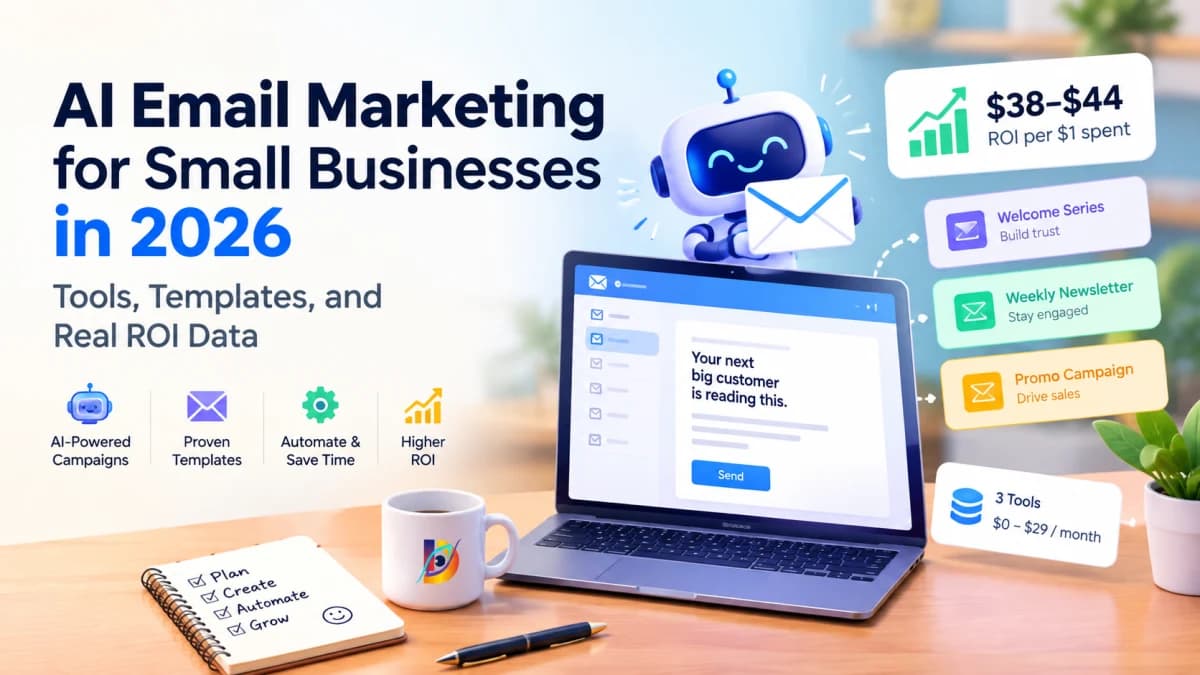
Email marketing returns $38–$44 for every $1 spent, outperforming paid search ($2.00) and social media ($2.80).
Using large language models to draft and structure campaigns cuts email production time from five hours to under 45 minutes per send.
A functional small-business email stack requires three tools and costs between $0 and $29 per month.
Three sequence formats generate roughly 80% of total email revenue for independent companies: the automated welcome sequence, the educational weekly broadcast, and the three-part promotional campaign.
Deliverability depends entirely on technical domain authentication (SPF, DKIM, DMARC) and list hygiene. AI copy has zero impact on inbox placement if technical sender records fail.
The Email Marketing Paradox
Most small business owners understand that an email list is their most valuable distribution asset. Social algorithms change quarterly, ad costs rise on Meta and Google every election cycle, and organic search traffic fluctuates with search engine layout updates. An email list remains an owned database of prospective and existing buyers.
Yet few small businesses send emails consistently.
The barrier is rarely lack of intent. It is operational friction:
Production drag: Sitting down to draft a coherent, non-spammy broadcast takes between two and four hours. For a solo operator or five-person team, that time gets consumed by fulfillment, sales calls, or customer support.
Agency economics: Retaining a boutique email marketing agency costs $1,500 to $3,500 monthly—far beyond the cash flow of an early-stage company.
Enterprise software bias: Standard industry advice pushes tools like Salesforce Marketing Cloud or Klaviyo with minimum tiers scaled for venture-funded brands or high-volume DTC catalogs.
Blank-page paralysis: Business owners know their product, but struggle to translate daily customer conversations into structured, engaging email copy.
Building an email channel does not require an enterprise budget or professional copywriters. By pairing an affordable sending engine with clear generative prompts, you can run a structured, automated system for less than $30 a month.
Why Email Still Beats Every Other Channel in 2026
To understand why email remains the central revenue driver for small businesses, examine the baseline economics of customer acquisition channels.
+---------------------------+-----------------------+------------------------+
| Acquisition Channel       | Average Return on $1  | Audience Ownership     |
+---------------------------+-----------------------+------------------------+
| Email Marketing           | $38.00 – $44.00       | 100% Owned Database    |
| Paid Search (PPC)         | $2.00                 | Rented per Click       |
| Organic Social Media      | $2.80                 | Platform Dependent     |
| Display Advertising       | $0.60                 | Rented Impressions     |
+---------------------------+-----------------------+------------------------+
The ROI data no one disputes
Independent industry benchmarks compiled in the eMarketer 2026 email ROI data report establish that email yields an average return between $36 and $44 per dollar invested. In comparison, paid search averages approximately $2.00 in revenue per $1 ad spend, organic social drives roughly $2.80, and programmatic display ads often struggle to break even at $0.60 per dollar.
The mechanical reason for this disparity is audience ownership. When you run ads on Meta or LinkedIn, you purchase temporary access to an audience. When the budget stops, lead flow drops to zero. With email, every contact acquired remains reachable at near-zero marginal cost for the lifespan of that email address. Understanding what AI marketing means begins with recognizing that automated tools yield their highest returns when applied to owned distribution assets rather than rented ad inventory.
What AI changes about email specifically
Historically, email marketing presented a trade-off between volume and personalization. Large enterprises solved this with dedicated copywriting teams and behavioral data engineers. Small teams had to choose between generic batch-and-blast newsletters or personalized manual outreach that could not scale.
Artificial intelligence removes three operational bottlenecks:
Drafting speed: Generating a structured first draft from raw bullet points takes less than 30 seconds.
Audience segmentation prompts: Instead of writing bespoke copy for three separate buyer personas, you feed one base message into an LLM and adapt the tone, technical depth, and call to action for each segment.
Workflow automation: Setting up sequence logic, branching criteria, and re-engagement triggers previously required specialized platform consultants. Modern tools allow you to describe the desired logic in plain language and generate the conditional workflows automatically.
The small business email reality
The average small or mid-sized enterprise (SME) sends between zero and two emails per month to its subscriber list. These messages are often erratic: an ad-hoc product update in March, silence until August, followed by a discount push in November.
This cadence damages sender reputation. When subscribers do not hear from a brand for months, they forget signing up, mark the sudden email as spam, or ignore it entirely, lowering mailbox engagement scores.
Data across B2B service firms and niche e-commerce shows that businesses emailing their list once per week generate up to four times more lifetime revenue per subscriber than businesses sending monthly or quarterly. The gap between those two groups is not strategy; it is the four hours of drafting time required every Tuesday. Eliminating that drafting time makes weekly distribution sustainable for solo founders and lean teams.
The Three Email Types That Drive 80% of Small Business Revenue
Standard email marketing guides list a dozen theoretical email formats, including cart abandonment sequences, milestone anniversaries, win-back flows, survey requests, and brand stories. For an SME, trying to launch all of them at once leads to abandoned setups.
Eighty percent of small business email revenue comes from three core campaign types:
The Automated Welcome Sequence (runs in the background upon signup)
The Weekly Newsletter (establishes authority and maintains sender domain activity)
The 3-Part Promotional Campaign (monetizes product launches, quarterly offers, or seasonal specials)
Email Type 1: The Welcome Sequence (set once, runs forever)
The welcome sequence is triggered the moment a user submits an email address via a website form or lead magnet. Open rates on initial welcome emails frequently exceed 50%—roughly double the open rate of standard promotional broadcasts.
A four-part sequence delivered over seven to ten days sets clear expectations, delivers the promised asset, and introduces your business solution:
Email 1 (Immediate): Asset delivery, origin context, and clear statement of what content you will send each week.
Email 2 (Day 2): Breakdown of the single biggest problem your product or service solves.
Email 3 (Day 4): Case breakdown or before-and-after walkthrough demonstrating how a client implemented your solution.
Email 4 (Day 7): Direct invitation to book a call, test the product, or purchase an introductory package.
Prompt Template 1: Automated Welcome Sequence Generator
Markdown
You are an email marketing strategist for small businesses. Write a 4-part welcome email sequence for new subscribers.

Business Details:
- Company Name: [Your Business Name]
- Industry/Niche: [e.g., Commercial HVAC Services / B2B SaaS for Accounting]
- Target Audience: [e.g., Office managers at mid-sized legal and accounting firms]
- Primary Lead Magnet Delivered: [e.g., 2026 Facility Energy Audit Checklist]
- Core Paid Offer: [e.g., Quarterly Preventative Maintenance Agreement]
- Brand Voice: Direct, practical, jargon-free, professional

Sequence Requirements:
- Email 1 (Send immediately): Deliver the checklist, explain who we are in two sentences, and ask a single question to prompt a direct reply.
- Email 2 (Send Day 2): Detail the hidden costs of deferred maintenance. Provide one tactical step they can take today.
- Email 3 (Send Day 4): Walk through a mini case study of a client who reduced repair costs by 30% using planned maintenance.
- Email 4 (Send Day 7): Present the core paid offer with a clear call to action (booking an inspection call). Include a brief FAQ section addressing price and scheduling.

Formatting Rules:
- For each email, provide: Subject line (plus 2 alternate variants), Preview text, Body copy, and CTA button text.
- Word count per email: 150–220 words.
- Avoid hyperbole, buzzwords, and exclamation points. Write clear, conversational sentences.
Email Type 2: The Weekly Newsletter (builds trust over time)
The weekly newsletter maintains domain sender warmth and keeps your business top of mind. If a prospect is not ready to buy today, consistent weekly contact ensures you are the first firm they contact when budget opens up in six months.
The most sustainable structure for a solo operator is a four-part newsletter format that requires no more than 300 words:
The Observation: A specific trend, recent event, or common mistake seen in client work this week.
The Actionable Tactic: One concrete step the reader can execute in 15 minutes to solve or prevent that issue.
The Resource Link: A recommended tool, internal blog post, or industry article.
The Direct Call to Action: A brief sentence pointing to your paid service or calendar link.
Prompt Template 2: Weekly Newsletter Generator
Markdown
Act as a content marketing editor. Draft a short, high-value weekly newsletter issue based on the provided topic.

Input Context:
- Target Reader: [e.g., Independent coffee shop owners]
- This Week's Topic: [e.g., Why local foot traffic dips in October and how to handle supplier orders]
- Core Lesson: [e.g., Adjusting milk and roast orders 3 weeks early saves 12% in spoilage]
- Resource to Link: [e.g., Free inventory forecasting Google Sheet]
- Soft CTA: [e.g., Reply to this email if you want our team to audit your inventory setup]

Structure Requirements:
1. Subject line: Write 3 punchy options (under 45 characters).
2. The Hook (2-3 sentences): State the problem without pleasantries like "Happy Monday."
3. The Insight (1 paragraph): Explain the underlying mechanics of why this issue happens.
4. The Action Step (Numbered list of 3 steps): Give the reader immediate instructions.
5. Sign-off and Soft CTA (2 sentences): Link to the resource and mention the service.

Tone Constraints:
- Professional, pragmatic, experienced.
- Maximum 250 words total. No filler phrases like "In today's fast-paced world" or "Let's dive in."
Email Type 3: The Promotional Campaign (drives direct revenue)
Promotional campaigns are dedicated multi-email bursts designed to convert warm subscribers into buyers during specific windows: quarterly promotions, end-of-year reviews, or workshop launches.
Sending a single sales email rarely produces meaningful results; inbox noise guarantees half your list will miss it. A three-email sequence distributed over five to seven days ensures visibility:
Email 1 (The Teaser/Announcement): State the offer, the context behind it, and who it helps.
Email 2 (The Deep Dive/Objection Handler): Answer the three most common questions prospects ask before buying.
Email 3 (Last Chance): A short, direct notice 12 to 24 hours before the deadline or price increase.
Prompt Template 3: 3-Part Promotional Sequence Generator
Markdown
You are a direct-response email copywriter. Write a 3-part promotional sequence for a limited-time service package.

Offer Details:
- Offer Name: [e.g., Q4 Tax Strategy Sprint]
- Regular Price / Promo Price: [$1,500 regular / $950 early-bird]
- Target Buyer: [e.g., Freelance creative directors with LLC filings]
- Core Benefit: [Identify deductions and restructure owner draws before December 31]
- Deadline: [Friday at midnight]

Write the following three emails:
1. Email 1 (Monday morning): Announce the sprint, describe the deliverable, explain why timing matters before year-end, and provide the checkout link.
2. Email 2 (Wednesday afternoon): Focus on the top 3 misconceptions about business deductions. Show how the sprint addresses each.
3. Email 3 (Friday morning): Short urgency message. State remaining spots/hours, recap the deliverable in 3 bullets, and give the final cutoff time.

Formatting:
- Include 2 subject lines per email (one direct, one question-based).
- Keep each email under 180 words.
- Ensure the link/button stands out clearly.
The Real Cost: Build a Complete AI Email System for Under $30/Month
Mainstream email marketing software often relies on aggressive tiered pricing models based on total contact list size rather than actual usage. For bootstrapped companies, this pricing structure penalizes audience growth before revenue catches up.
+----------------+--------------------------+---------------------+-------------------+------------------------+
| Tool           | Primary Function         | Free Tier           | Entry Paid Tier   | Role in System         |
+----------------+--------------------------+---------------------+-------------------+------------------------+
| Brevo          | Sending & Automation     | 300 emails/day      | $9.00 / month     | Delivery & workflows   |
| ChatGPT (Plus) | Copywriting & Strategy   | GPT-4o mini access  | $20.00 / month    | Drafting sequences     |
| Grammarly      | Tone & Typo Review       | Basic checks        | $12.00 / month    | Final quality control  |
| Notion         | Content Calendar         | Full personal use   | Free plan         | Topic planning         |
+----------------+--------------------------+---------------------+-------------------+------------------------+
Three practical tiers from $0 to $29 per month
You can scale an AI email infrastructure across three distinct budget stages:
The Starter System ($0/month):
Brevo Free Tier (unlimited stored contacts, up to 300 email sends per day).
ChatGPT Free Tier (GPT-4o mini for drafting copy and refining subject lines).
Grammarly Free extension for spelling and phrasing checks.
Total cash outlay: $0. This stack comfortably supports a business with up to 1,500 contacts sending a weekly email in batches.
The Growth System ($17/month):
Brevo Starter Tier ($9/month for 5,000 monthly sends without daily sending limits).
OpenAI API access or specialized writing tier ($8/month allocated for raw token drafting).
Total cash outlay: $17. Best for businesses with 1,000 to 2,500 contacts sending weekly broadcasts and running a 4-part welcome automation.
The Professional System ($29/month):
Brevo Starter Tier ($9/month).
ChatGPT Plus ($20/month for custom GPT workspaces containing brand tone instructions and past performance data).
Total cash outlay: $29. This setup allows you to store specialized prompt libraries, process customer interview transcripts, and draft complete monthly campaign schedules in a single session.
To calculate expected returns based on your current audience size and average sale value, run your numbers through our AI ROI Calculator.
What Mailchimp doesn't tell you about pricing
Mailchimp charges businesses based on total stored contacts, including unsubscribed and inactive emails, unless you manually archive them.
If your list grows to 5,000 contacts, Mailchimp's Standard plan starts at approximately $80 to $100 per month. If 1,500 of those contacts are inactive or unsubscribed, you still pay for them. In contrast, Brevo's pricing is anchored to monthly sending volume, with unlimited contact storage on all plans. For a complete comparison of entry-level platforms, consult the Brevo official pricing page. For an SME sending one weekly email, volume-based pricing is substantially more cost-effective.
Hidden costs to plan for
While software subscriptions remain under $30, account for three secondary operational requirements:
List validation services: If your subscriber list has sat dormant for over six months, run the addresses through a bulk hygiene service like NeverBounce or ZeroBounce ($8 for 1,000 verifications) to purge invalid or abandoned mailboxes before your first send.
Custom domain configuration: Sending marketing emails from a
@gmail.comor@yahoo.comaddress triggers instant spam flags. You need a dedicated business domain ($10 to $15 per year via Cloudflare or Namecheap).Initial sequence build time: Allocating three to five hours in week one to set up templates, write brand prompts, and test automation triggers.
Step-by-Step: The Weekly AI Email Workflow
Executing an email strategy consistently requires an operational routine with defined boundaries. Integrating AI productivity tools reduces email production to four distinct blocks of time totaling under one hour per week.
+------------------+-----------------------+-----------------------------------------------+
| Day              | Allocated Time        | Core Task                                     |
+------------------+-----------------------+-----------------------------------------------+
| Monday           | 10 Minutes            | Topic selection from customer logs & calendar |
| Tuesday          | 20 Minutes            | AI generation of draft and human voice edit   |
| Wednesday        | 10 Minutes            | Platform formatting and A/B subject tests     |
| Thursday         | 5 Minutes             | Scheduled broadcast delivery & open tracking  |
+------------------+-----------------------+-----------------------------------------------+
One-time setup (Week 1 only: 3 hours total)
Before sending weekly broadcasts, complete this foundational configuration:
Authenticate sending domains: Add SPF, DKIM, and DMARC text records to your DNS settings. This step verifies to Google and Yahoo that your email tool is authorized to send on behalf of your domain.
Define the brand voice prompt: Document your core business details, tone parameters, taboo words, and customer pain points in a master system prompt.
Assemble the welcome sequence: Run Prompt Template 1, review the four generated emails, paste them into Brevo's automated workflow builder, and activate the trigger on your main signup form.
For deeper process automation across external tools, explore our breakdown on AI automation for SMEs.
The weekly newsletter workflow (45 minutes per week)
Monday (10 mins) — Topic extraction: Review the customer questions, service tickets, or sales objections encountered over the past seven days. Select the single most practical question to address.
Tuesday (20 mins) — Draft generation and editing: Feed the question and key bullet points into Prompt Template 2. Read through the generated draft. Cut generic adjectives, add one specific real-world example from your business, and verify that the call to action functions.
Wednesday (10 mins) — Layout and scheduling: Copy the text into your email provider. Format with single-column plain text layout, insert two subject line options for split testing, and schedule the delivery for Thursday morning.
Thursday (5 mins) — Performance log: Check delivery rates and initial open statistics. Record winning subject lines in your content tracking sheet.
The monthly promotional campaign (90 minutes per month)
On the third week of each month, plan the subsequent month's sales campaign:
Determine the featured offer, bundle, or consultation sprint.
Deploy Prompt Template 3 to generate the three-email series simultaneously, ensuring narrative consistency from teaser to final deadline.
Schedule the emails across a five-day window (e.g., Tuesday, Thursday, Friday).
Tag recipients who click the offer link to build a high-intent segment for personal sales follow-up.
Subject line formula that AI handles in 30 seconds
Open rates correlate heavily with subject line relevance. Across millions of small-business sends, four subject line archetypes reliably outperform:
The direct benefit: "How to cut inventory spoilage by 12%"
The curiosity gap: "The line item we removed from client contracts"
The specific question: "Are your DNS records authenticated for Gmail?"
The blunt announcement: "Q4 strategy packages are open"
Prompt Template 4: High-Converting Subject Line Generator
Markdown
Generate 10 email subject line options for the email copy provided below.

Provide 2 options for each of these 5 categories:
1. Direct / Outcome-driven (under 40 characters)
2. Question-based (addressing a specific pain point)
3. Curiosity-driven (without deceptive clickbait)
4. Casual / Lowercase (reads like a note from a peer)
5. Urgency / Timing (clear deadline, no hype)

Constraints:
- Include preview text (40–60 characters) for each pair.
- No emojis.
- Avoid spam trigger words like "Guaranteed", "Free", "Act Now", or all-caps formatting.

Email Copy:
[Paste your finalized email draft here]
Real Example: How a Solo Founder Grew a 2,400-Person List With AI
To examine how this workflow functions in practice, consider an implementation by a solo software consultancy operating in the B2B logistics sector.
The initial bottleneck and system setup
Prior to implementing an AI-assisted workflow, the founder sent one marketing email every four to six weeks. Drafting each update took an entire Sunday morning (five to six hours), producing long, discursive essays that generated few direct client inquiries. The total active subscriber list hovered around 340 contacts.
In January, the founder rebuilt the process around an AI-assisted stack:
Sending engine: Brevo Starter ($9/month).
Drafting engine: Custom ChatGPT workspace ($20/month) loaded with past client reports and white papers.
Lead magnet: A 4-page checklist titled "Warehouse Automation Audit Checklist," written using LLM structuring tools in 45 minutes and exported as a PDF.
Automated welcome sequence: A 4-part onboarding series generated via Prompt Template 1.
The month 2 deliverability dip and final revenue numbers
During the second month, the founder made a common mistake: using raw, unedited AI output to write three promotional emails in a single week. The emails lacked audience-specific logistics terminology, used generic marketing enthusiasm, and failed to address specific operational problems.
Open rates dropped from 41% to 11%, and unsubscribes spiked.
The founder corrected the approach by enforcing a strict ten-minute human review rule:
Every AI draft must incorporate at least one specific client anecdote or metric.
All generic introductory sentences must be deleted.
The sender tone must match the founder's direct email cadence with colleagues.
By month six, the results stabilized:
Total list size grew from 340 to 2,410 verified subscribers.
Average open rates stabilized at 38.4% on weekly broadcasts.
A quarterly advisory package promotion generated 14 consultation bookings, resulting in three retained clients worth a combined $18,500 in service contracts.
Ongoing software cost: $29/month.
What AI Cannot Do for Email Marketing
While artificial intelligence accelerates research, formatting, and drafting, treating the tools as an autonomous autopilot creates operational and reputational liabilities.
Technical constraints and hallucination risks
No influence on deliverability: Large language models cannot fix technical DNS errors, improper mail headers, or poor IP reputation. If your domain lacks proper verification, AI copy will land in the spam folder just as quickly as human copy.
Fabricated data in case studies: If prompted to "write a case study about our service," an LLM will invent client names, revenue percentages, and project timelines. You must supply verified facts; the tool should only structure the prose.
Tone degradation across iterations: When users continuously ask an AI to "make it more engaging" or "make it sound punchy," the output rapidly degrades into aggressive sales cliches, emojis, and hyperbole that alienate professional audiences.
The emails that must be human-written
Certain communications require direct human authorship and should never be delegated to automated prompts:
Apology and incident notices: Explaining service outages, shipping delays, or billing errors requires genuine accountability and precise factual context.
Structural business shifts: Announcing mergers, major pricing increases, or business closures.
Direct replies from subscribers: When an email broadcast prompts a reader to reply with a question about their business, a human operator must respond. Delegating personal replies to an automated bot destroys subscriber trust.
AI Email Marketing Tools Compared (2026)
Selecting an email marketing platform depends on your business model, list volume, and technical requirements.
+------------------+-----------------------------+---------------------+-----------------------------------+------------+
| Tool             | Best Fit For                | Entry Pricing       | Built-in AI Capabilities          | SME Rating |
+------------------+-----------------------------+---------------------+-----------------------------------+------------+
| Brevo            | Service SMEs, Consultants   | Free / $9 per mo    | Subject lines, send-time scoring  | 5 / 5      |
| Mailchimp        | General Beginners           | Free / $13 per mo   | Copy suggestions, basic segments  | 4 / 5      |
| Kit (ConvertKit) | Creators, Solopreneurs      | Free / $25 per mo   | Subject scoring, text drafting    | 4 / 5      |
| ActiveCampaign   | Complex B2B Sales Cycles    | $15 per mo          | Predictive actions, CRM workflows | 4.5 / 5    |
| Klaviyo          | E-commerce & Retail Stores  | Free / $20 per mo   | Predictive LTV, automated flows   | 4.5 / 5    |
+------------------+-----------------------------+---------------------+-----------------------------------+------------+
Core platform comparison
Brevo: The top pick for bootstrapped service firms. Its pricing model charges for email volume rather than list size, allowing businesses to store customer records without cost penalties. For a wider evaluation of low-cost solutions, see our index of the best free AI tools in 2026.
Mailchimp: Widely known with extensive integrations, but expensive as your contact list expands past 2,500 addresses.
Kit (formerly ConvertKit): Optimized for digital creators, writers, and course creators. Its visual automation builder is straightforward, though paid tiers scale rapidly.
ActiveCampaign: High-end automation platform combining an email marketing engine with a full sales CRM. Best suited for B2B teams managing multi-month deal cycles.
Klaviyo: The standard for e-commerce. Its predictive analytics forecast customer lifetime value and churn risk, easily justifying its higher price point for online retailers.
Recommendations by business model
Consultant, agency, or local trade service: Deploy Brevo ($9/month) paired with ChatGPT Plus ($20/month). Keep emails text-centric and direct.
E-commerce storefront (Shopify/WooCommerce): Use Klaviyo. The automated revenue from abandoned cart and browse-abandonment sequences offsets the platform premium.
Independent publisher or content creator: Use Kit. The platform is designed around subscriber monetization, paid recommendations, and plain-text engagement.
Frequently Asked Questions
Can AI write high-converting marketing emails?
AI produces effective marketing copy when provided with concrete context: customer pain points, specific product parameters, and clear tone constraints. It fails when given vague instructions like "write an engaging newsletter about our services." The most productive workflow uses AI to structure drafts in two minutes, followed by ten minutes of human editing to insert authentic stories, verify numbers, and polish the voice.
What is the most cost-effective free AI email setup in 2026?
The most reliable zero-cost stack combines Brevo's free plan (300 email sends per day, unlimited stored contacts) with ChatGPT's free tier (GPT-4o mini). This pair allows an early-stage business to manage up to 1,500 subscribers, automate a welcome sequence, and send weekly educational broadcasts without any software subscription.
How often should a small business email its subscribers?
Weekly distribution is the standard target for most B2B and service companies. It maintains sender reputation, keeps domain authentication active, and keeps your solution top-of-mind without causing list fatigue. Monthly emails are the absolute minimum to prevent subscribers from forgetting your brand; sending less frequently than once a month leads to elevated spam complaints.
Will AI-generated emails land in the spam folder?
Mailbox providers like Google, Yahoo, and Microsoft do not filter incoming mail based on whether an LLM wrote the sentences. Inbox placement is governed by sender domain reputation, technical authentication (SPF, DKIM, DMARC), bounce rates, and recipient engagement (opens, replies, clicks). Review the official requirements in Google's email authentication guide to ensure your technical setup satisfies current inbox standards.
How do small businesses build an email list without paid advertising?
The three most reliable organic acquisition methods are:
Targeted lead magnets: A one-page checklist, cost calculation spreadsheet, or diagnostic audit answering one specific customer question.
High-traffic content upgrades: Embedding direct signup forms within your top three most-read articles or service pages.
Transactional conversion: Inviting past clients, invoice recipients, and webinar attendees to join your weekly educational dispatch.
Conclusion: Your First Week Email Action Plan
Establishing an automated email marketing system does not require weeks of planning or complex software integrations.
Three immediate steps to take this week
Activate your sending engine: Register for a free tier account on Brevo, connect your custom domain, and configure your SPF, DKIM, and DMARC records with your DNS provider.
Deploy your welcome automation: Run Prompt Template 1 with your specific business parameters, review the four generated drafts, paste them into an automated workflow, and link the sequence to your website signup form.
Draft and schedule your first broadcast: Identify one common question asked by a client this past month, use Prompt Template 2 to produce a 200-word educational email, and schedule it to send this Thursday morning.
Want to calculate the revenue potential of your existing customer base? Use our free AI ROI Calculator to project annual list earnings based on audience size, average deal value, and conversion rates.