Small teams tend to end up paying for more software tools than they need. For example, you could pay for one tool to assist with writing, another to assist with coding, another for research, and another for pictures. However, many of these tools are capable of carrying out the same tasks.
You can pay for just one tool rather than several if you use an all-in-one AI workspace. A tool such as Aymo AI brings together various AI models, the ability to read files, web search, and teamwork in a single place. However, the amount you end up saving will depend on the way your team works and on the particular features you still require.
What constitutes an all-in-one AI workspace?
An all-in-one AI workspace is a tool which brings numerous AI assistants together in one location, enabling you to carry out various tasks without having to open a large number of different AI applications.
For example, Aymo AI is a tool which enables you to use GPT, Claude, Gemini, DeepSeek, Grok, Mistral and other AI models; it also allows you to read files, search the web, generate pictures, and collaborate with your team.
Rather than maintaining a number of accounts for different AI assistants, your team can use a single workspace and select the best AI for each task.
5 Types of AI Tools That One Workspace Can Replace
That is not the case with all AI tools since a great many small teams buy different tools which have overlapping functions.
Type of tool | Examples you can buy alone | One workspace instead | What it is used for |
|---|---|---|---|
AI helpers | ChatGPT Plus, Claude Pro | AI chat with many models | Sharing ideas, writing, and solving problems |
Research tools | Special AI research helpers | Built-in web search and research | Market research, summaries, and analysis |
Writing helpers | Special AI writing tools | General AI models | Emails, blogs, and marketing words |
Basic coding help | AI chat you pay for alone | AI coding chat | Fixing bugs, scripts, and explaining code |
Reading documents | Special document AI tools | Upload files and ask questions | PDF summaries, spreadsheet help, and Q&A |
It's important to know that a single workspace can take the place of a subscription for a job, but it won't necessarily be able to do all the things that a dedicated tool can.
For instance, getting an AI to explain a piece of code is different from using a coding tool that is able to modify an entire project.
How Much Can Small Teams Cut?
Saving money by buying fewer tools is possible. However, you should compare the actual prices rather than making an estimate.
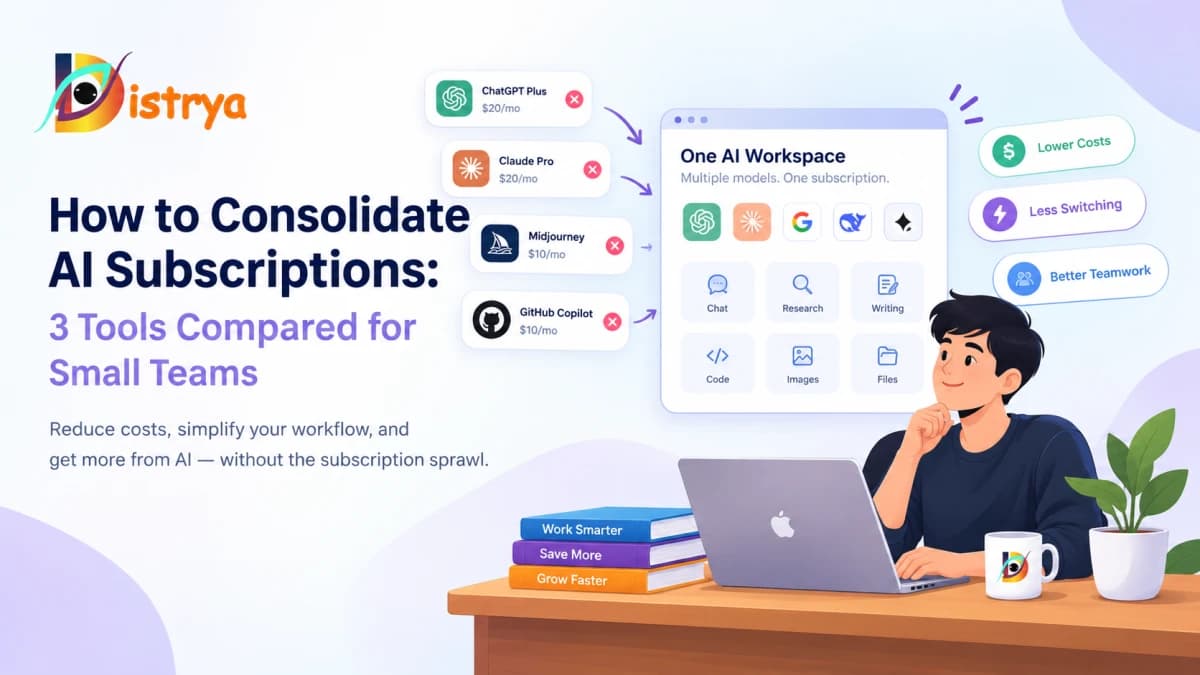
Suppose a single person subscribes to ChatGPT Plus, Claude Pro, and GitHub Copilot Pro.
Subscription | Cost each month |
|---|---|
ChatGPT Plus | $20 |
Claude Pro | $20 |
GitHub Copilot Pro | $10 |
Total | $50 |
If you compare it to Aymo AI Premium, the price is $20 per month or $12 per month when you pay for a full year.
Option | Cost each month |
|---|---|
Three separate subscriptions | $50 |
Aymo Premium, monthly | $20 |
Aymo Premium, yearly billing | $12 |
Possible savings | $30–$38 each month |
In this case, there could be a reduction in subscription costs of between 60 and 76 per cent.
It is not precisely the same thing; Aymo provides you with AI chat using a variety of models as well as general coding assistance, whereas GitHub Copilot works directly within coding tools, and the usage limits, picture credits, and special features also differ.
The amount that is paid and the savings will depend on the number of people who need accounts and the extent to which they use them when there are five members on the team.
Best Features to Look for in a Multi-Model AI Workspace
Choosing a workspace is not simply a matter of how many models it has.
Many AI models allow teams to compare answers, explore different approaches, and prevent having to pay for a large number of AI assistants.
When it comes to reading documents and files, support for PDFs, spreadsheets, documents, and code enables teams to carry out their daily work without having to move the files.
With built-in web searches, you are able to carry out searches and obtain answers together with sources, which helps you avoid having to open other research tools when dealing with simple questions.
Teamwork: It is very useful when people are working on the same jobs because of shared projects, the chat history, the member permissions, and the single central workspace.
When switching, you should check the message limits, the credit systems, the file size limits, and which models you are allowed to use.
For example, Aymo AI offers a variety of models, the ability to read files, live web search, model comparison, and shared workspaces. The different plans are available at Free, Plus, Premium, and Business levels.
When should you continue to use special AI tools?
A single workspace isn't suitable for all situations.
– When people are working on large-scale coding projects they might still need special coding tools which function within their coding application, for example Cursor or GitHub Copilot.
For professionals: those who require powerful picture editing, a consistent style, or precise creative control should consider using specialized design software.
For companies that have complicated connections, scheduled tasks, or workflows involving many steps, special automation tools may be required.
Enterprise operations: Organizations which deal with personal information might be required to have additional safety rules, access controls, audit logs, and legal commitments.
The aim is to avoid paying for too many tools that overlap without losing the ones that your team actually needs.
How to Switch to Fewer AI Subscriptions Without Messing Up Work
Begin by listing all the tools that you currently pay for. Find out who uses each tool, how frequently they use it, and what features they require.
Now select a multi-model AI workspace and test it out using real-world tasks such as writing, research, reading files, and simple coding.
Look at its answers, how fast it is, the models it offers, its privacy settings, and the actual usage limits compared to those you currently have.
Cancel the subscription only after you have decided that the new tool is capable of doing the job and ensure that your important files, connections, and previous work are safe.
Common Questions
Can an AI subscription take the place of ChatGPT and Claude?
A multi-model AI workspace allows you to access models from various companies, which could mean that you won't need separate AI subscriptions. However, the special features, usage limits, and built-in connections might not be the same.
What is the most inexpensive method of using a large number of AI models?
One way of trying out different AI models is to sign up for the free multi-model plans. With paid tools you get greater access and higher limits. The cheapest option will depend on the models you need, the amount that you use them, and whether or not you require API access.
Is an all-in-one AI workspace suitable for small businesses?
It is beneficial for small businesses which frequently make use of AI for writing, carrying out research, reading documents, and working as a team. Small businesses that require special design, coding, safety, or automation tools will still have to rely on separate products.
Should it be worth one's while to pay for fewer subscriptions?
It may be worthwhile since a number of paid tools carry out the same tasks and one workspace fulfills your team's actual needs. Make sure you check the overall cost, the usage limits, the speed, and the features before making the switch.
Final Thoughts
It is a genuine issue for small teams to have too many AI tools because maintaining numerous AI accounts leads to higher costs and causes greater confusion, particularly when different tools are used for the same tasks.
By offering a multi-model AI workspace you have another option since numerous AI features are available in a single place. For teams who mainly need AI assistance with writing, research and reading documents tools such as Aymo AI are worth considering.
The true advantage is not merely offering fewer subscriptions, but rather identifying the appropriate balance of cost, features, and flexibility in relation to the way your team operates.